User guide
Walk through download, enrollment, approval, and connecting to servers with OSH - Client.
Download OSH - Client
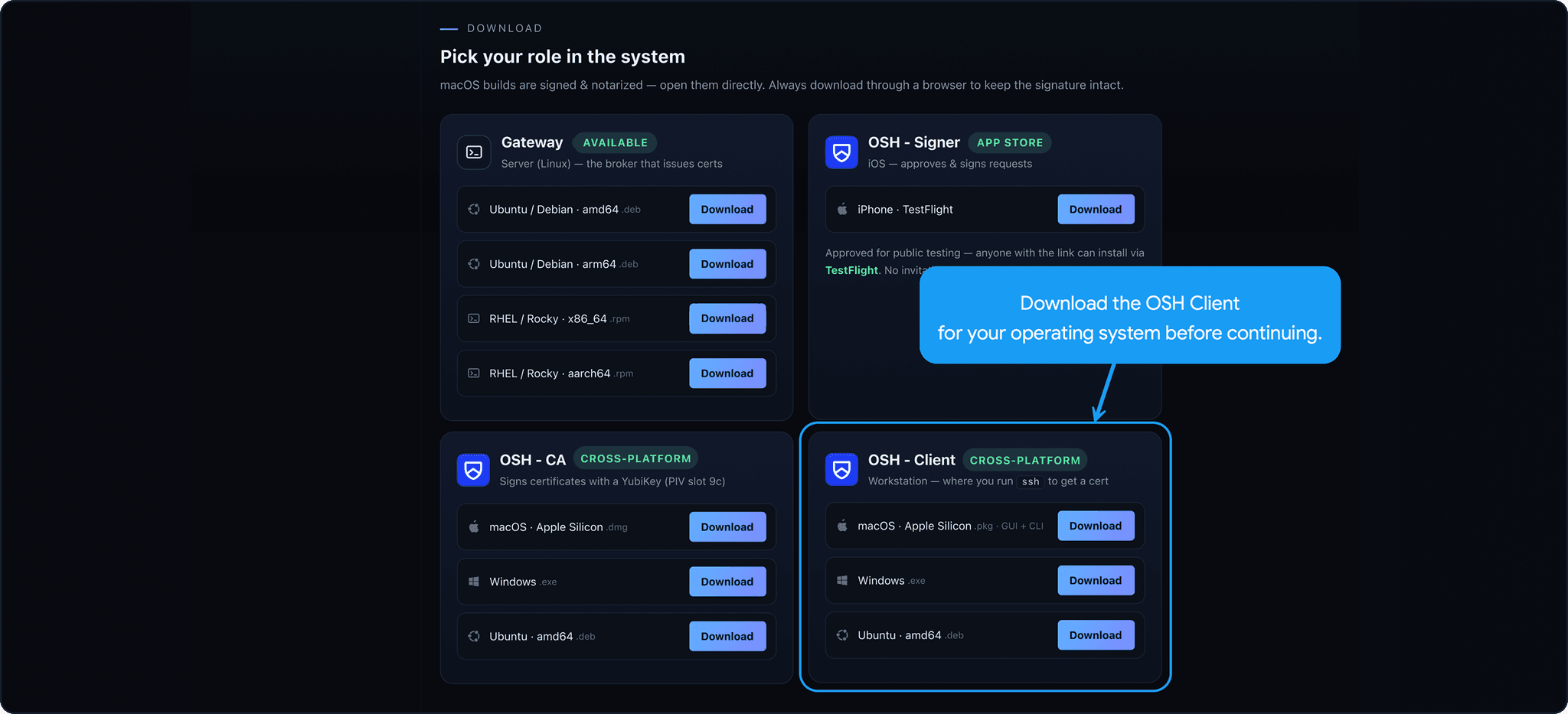
1. Download OSH - Client here
Enroll your device
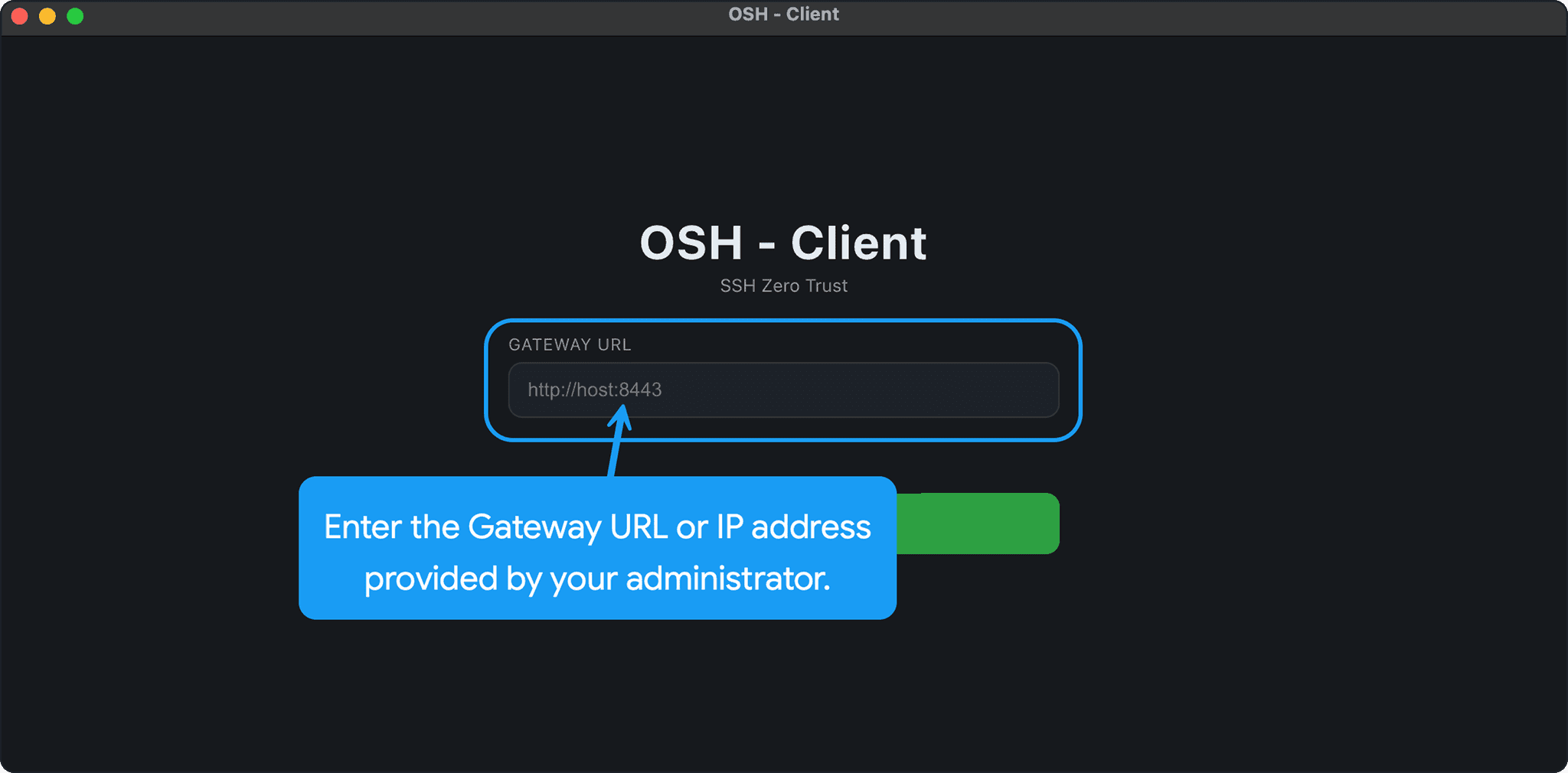
2. Enroll your device
Wait for approval
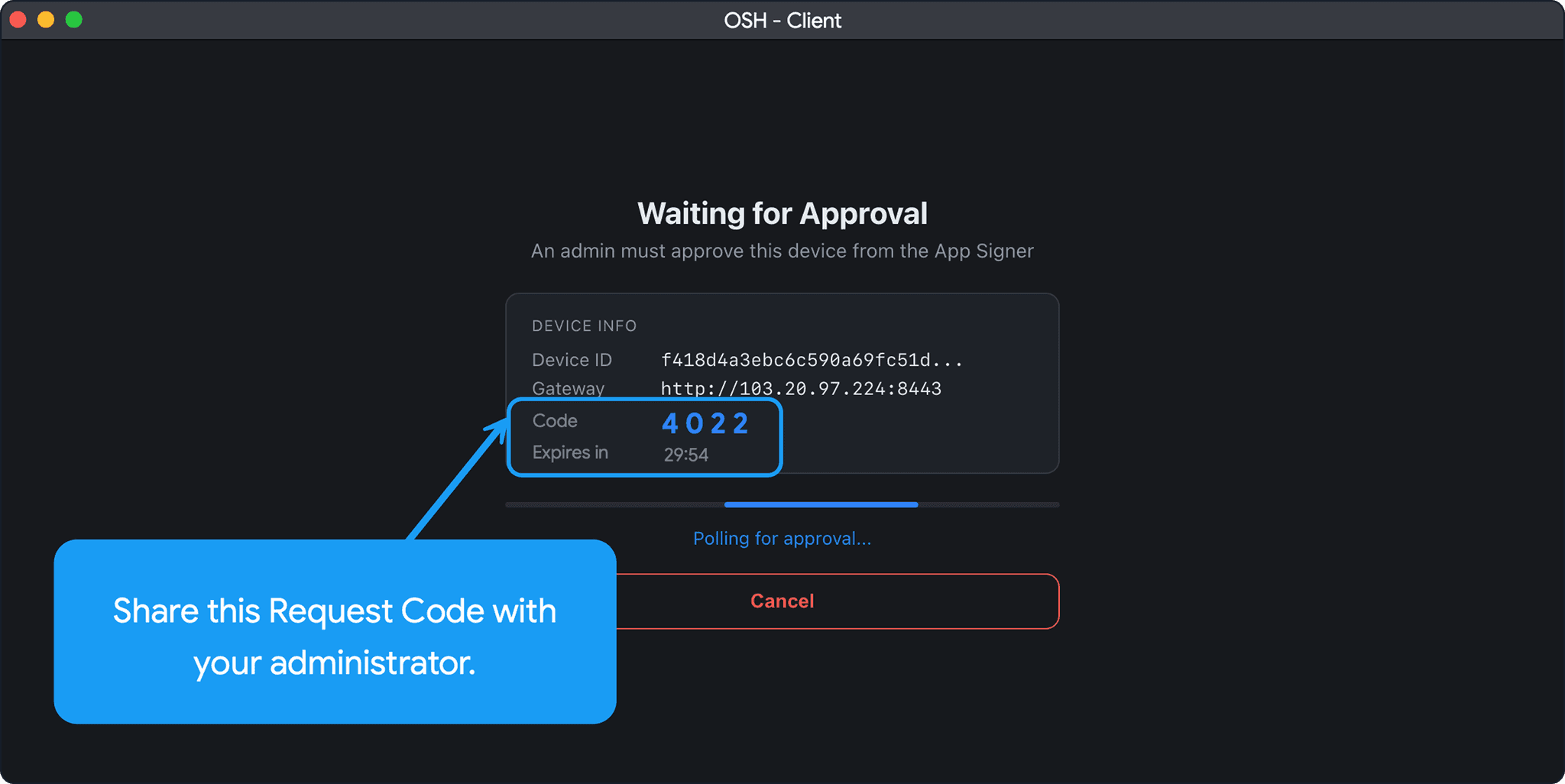
3. Wait for approval
Connect to the server
4. Connect to the server
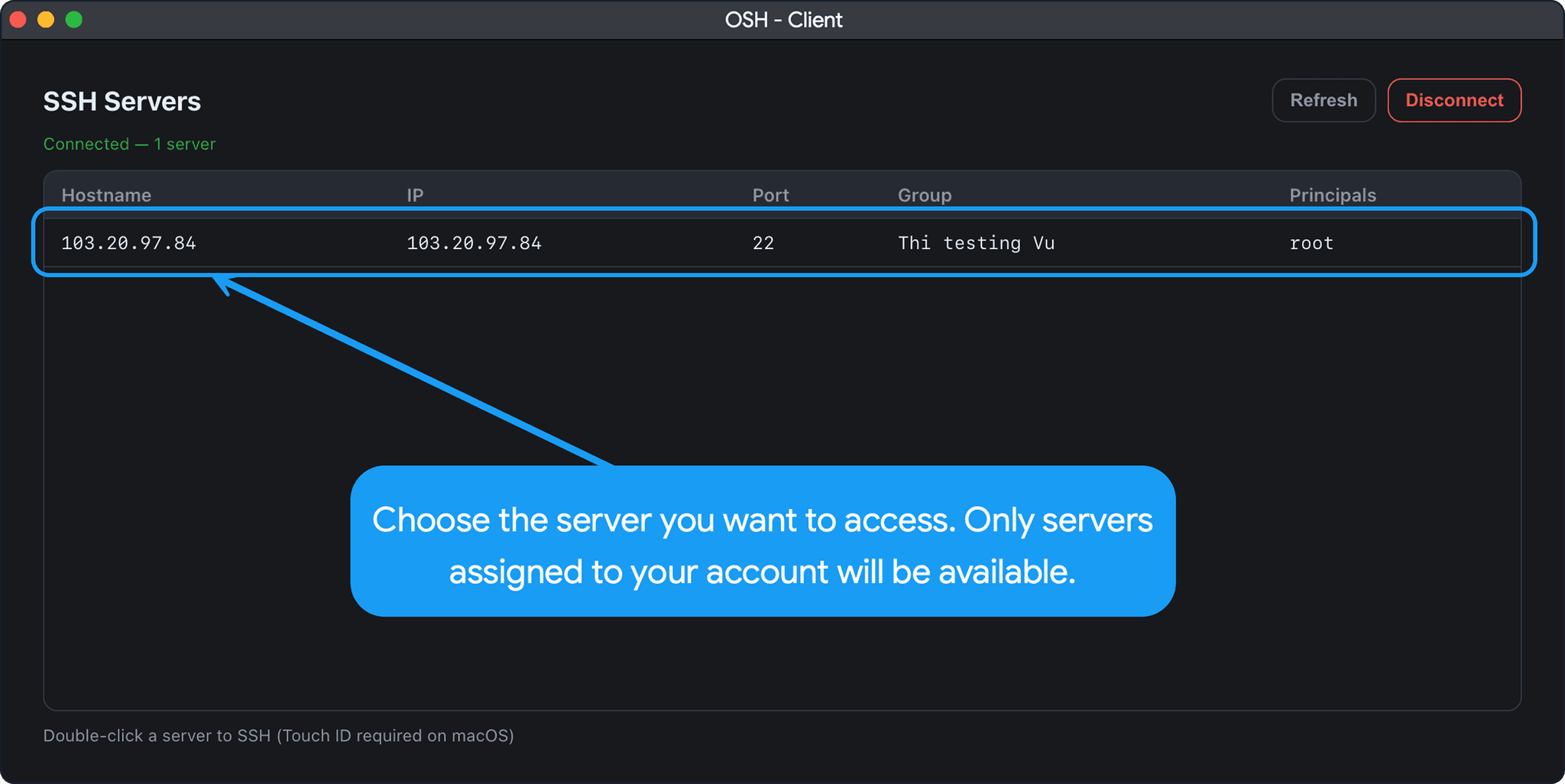
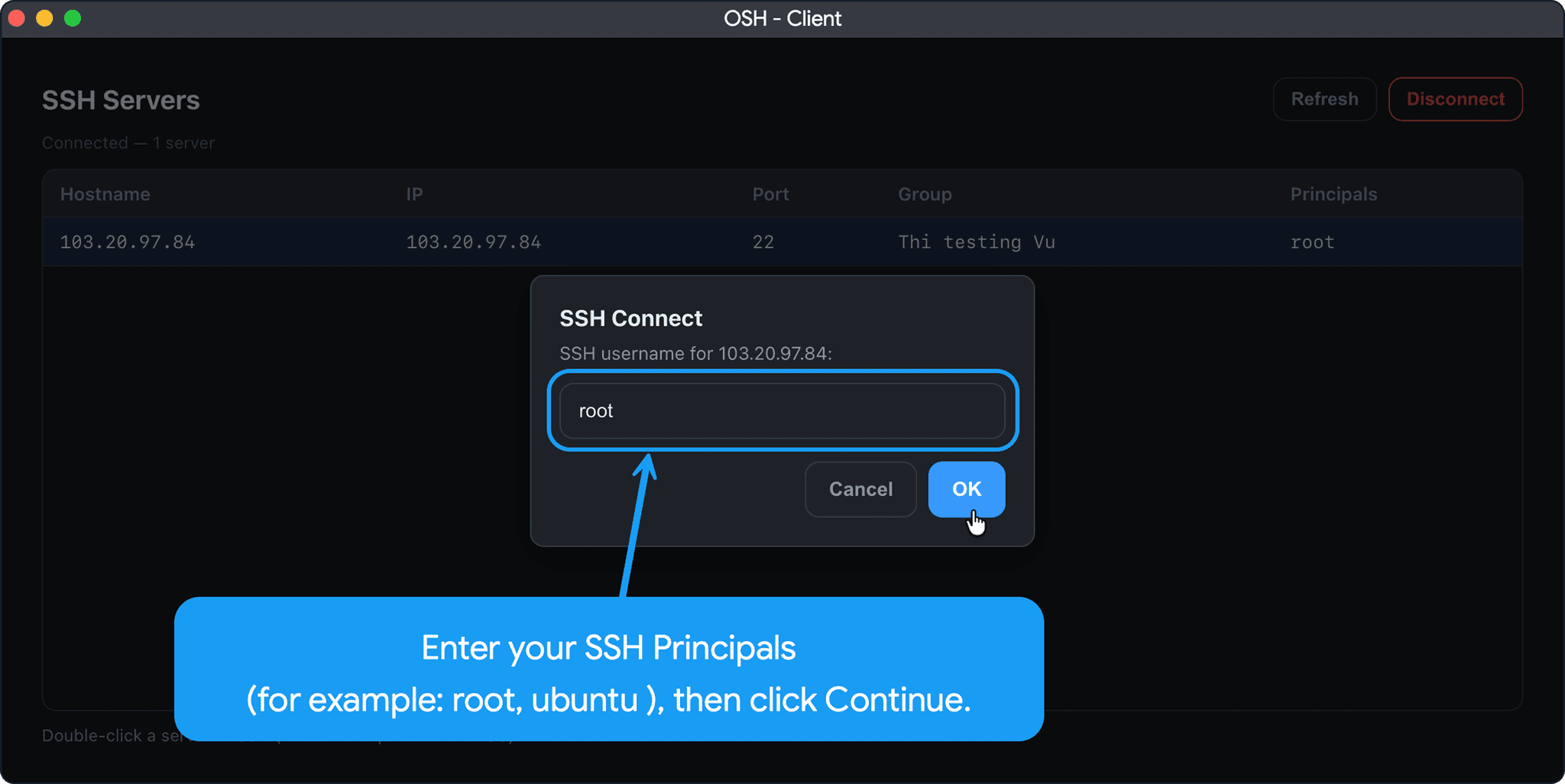
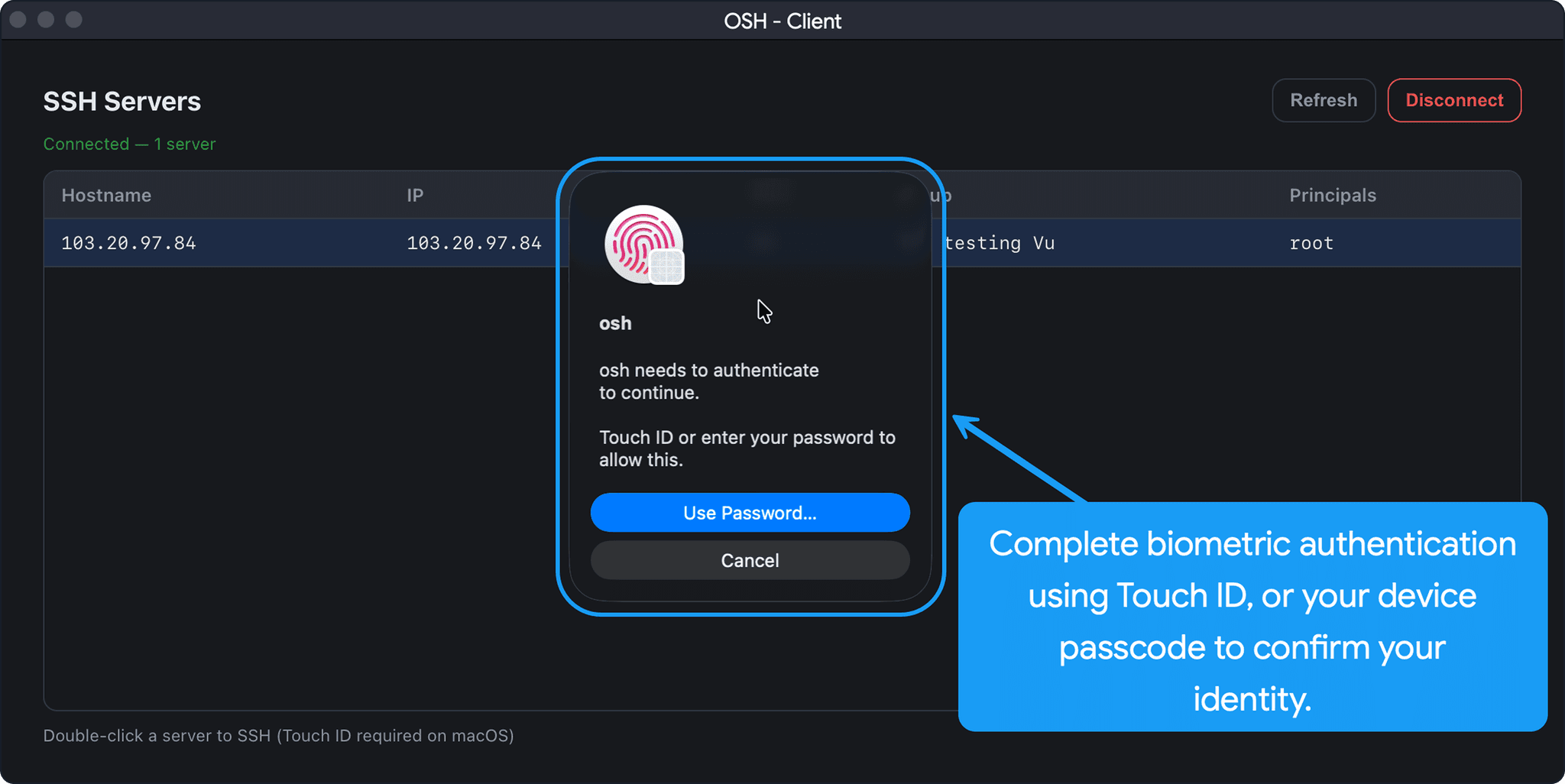
Access results
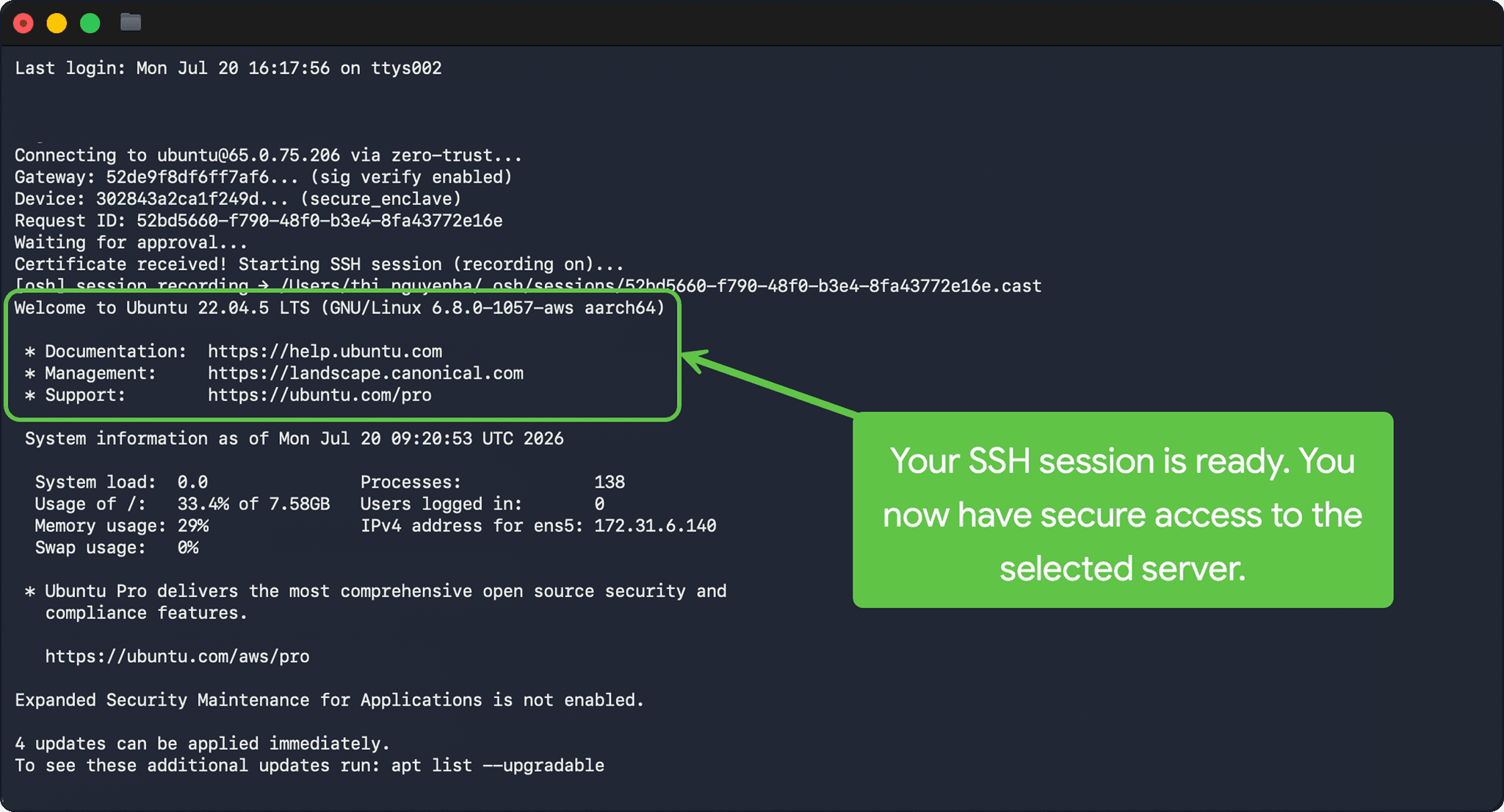
5. Access results
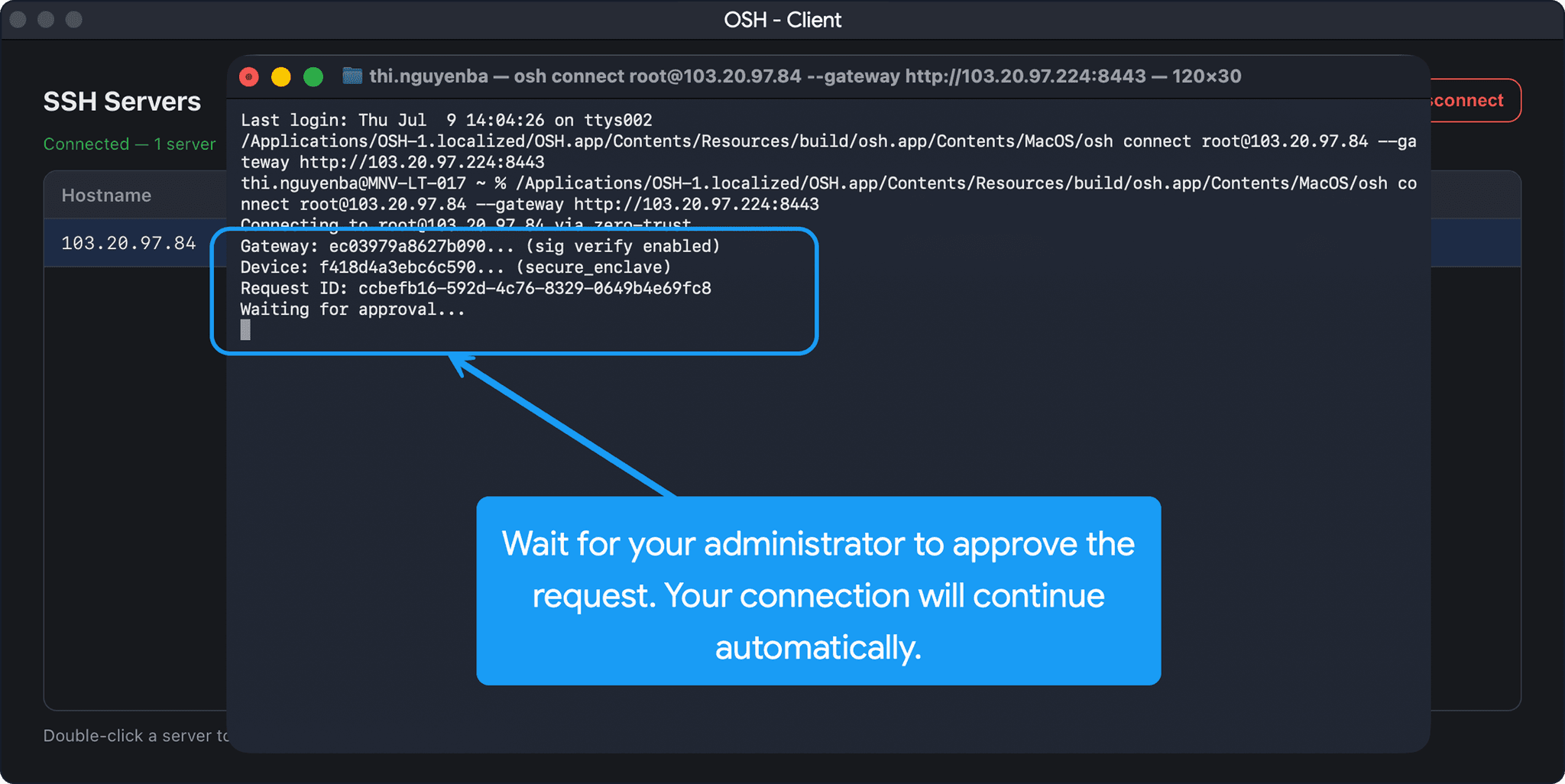
Set up your team
6. Set up your team Create a group
Root sets up groups, people, computers, servers and rules on the iPhone. Each part has its own step-by-step guide with screenshots: create a group, invite people, give a role, add a computer, add a server, create a rule, and approve a connection. Pick them from the menu on the left.
Turn on phone notifications (root)
7. Turn on phone notifications (root)
Approvers' iPhones ring through Open Layer's push relay when a request needs their signature. The gateway needs an https address. Run one of these on the gateway server; Open Layer approves the request, then phones start ringing.
curl -fsSL https://osh.openlay.com/downloads/install.sh | sudo sh -s -- --autocert gw.example.com --autocert-email you@example.com --push-relay "your-company"New gateway: installs with a real TLS certificate and applies for notifications in one go.
curl -fsSL https://osh.openlay.com/downloads/install.sh | sudo sh -s -- --push-relay "your-company"Gateway already on HTTPS: upgrades in place and applies. Still on plain http? See Updating an existing gateway in the Documentation.
Phone notifications (Open Layer relay): ⏳ REGISTERED — WAITING FOR OPEN LAYER TO APPROVE Registered as: your-company Notifications stay OFF until Open Layer approves this gateway. Nothing more to do here — ask Open Layer to approve "your-company".
This is the expected result: nothing more to do on the server. Phones start ringing once Open Layer approves the name; root can see the state in OSH - Signer under Admin → Notifications.
If the installer says the name belongs to another gateway, remove [push_relay] from /etc/pam-zta/gateway.toml and run the command again with a different --push-relay name.
Add a Slack, webhook or Telegram channel (root)
8. Add a Slack, webhook or Telegram channel (root)
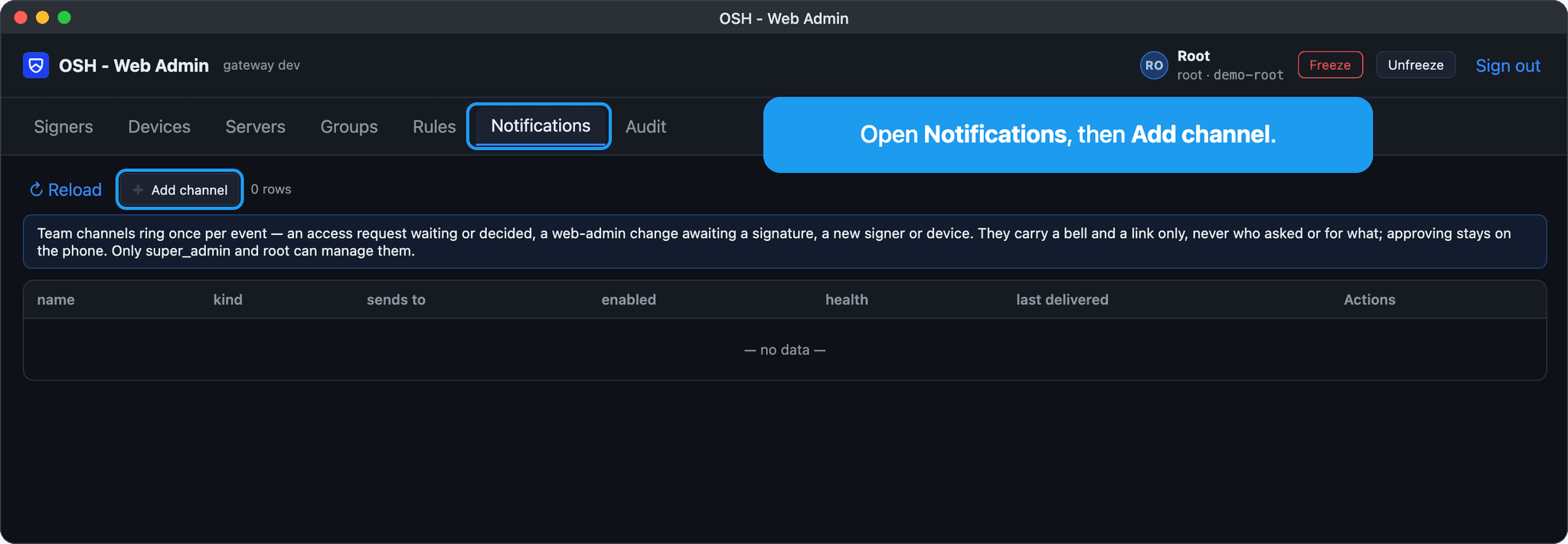
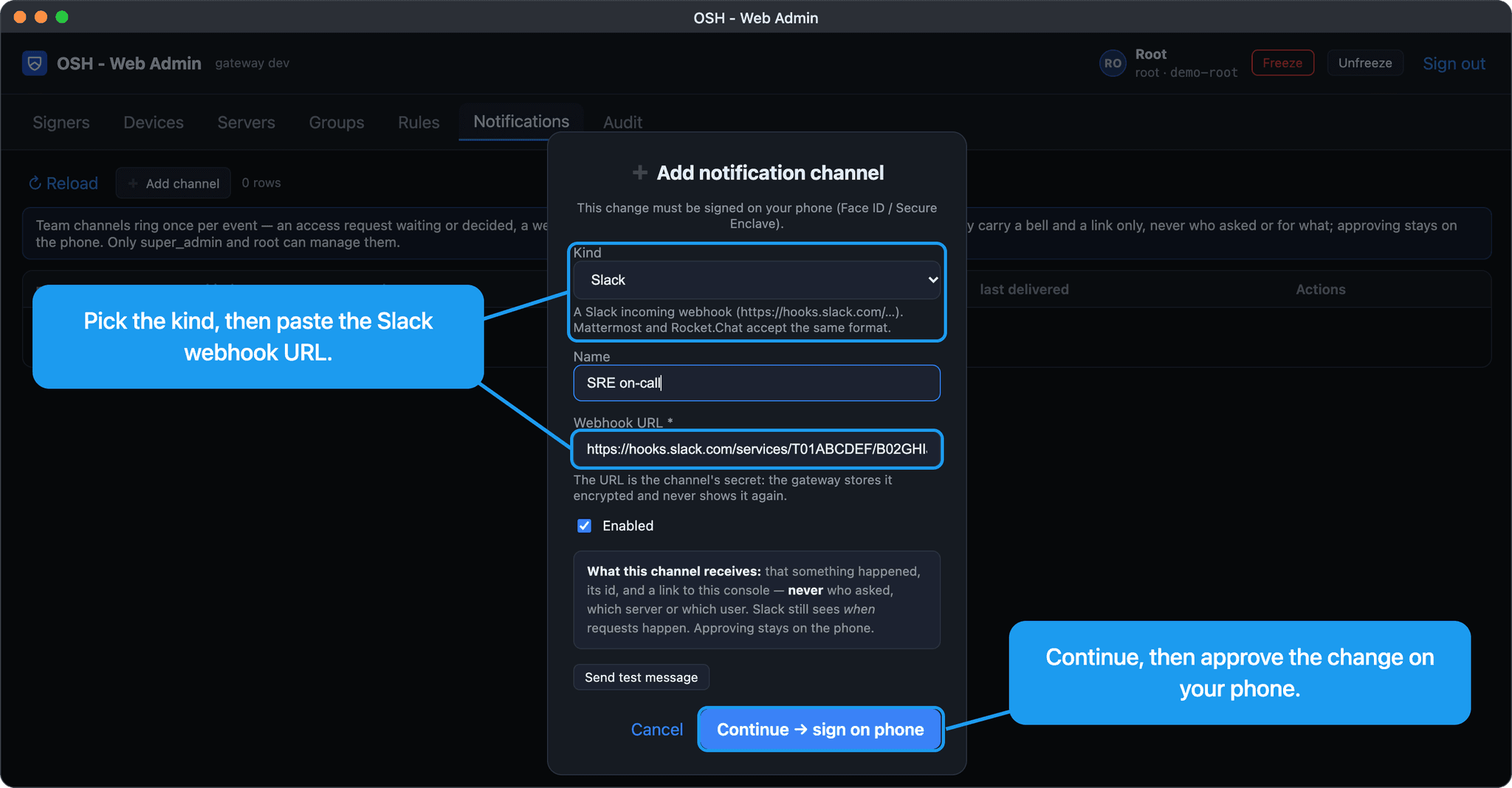
In the web console, open Notifications → Add channel. Pick the kind, paste the Slack incoming-webhook URL (or a Telegram bot token and chat ID), save, and approve the change on your phone. A channel only gets a bell and a link — never who asked or for which server.
Test the channel
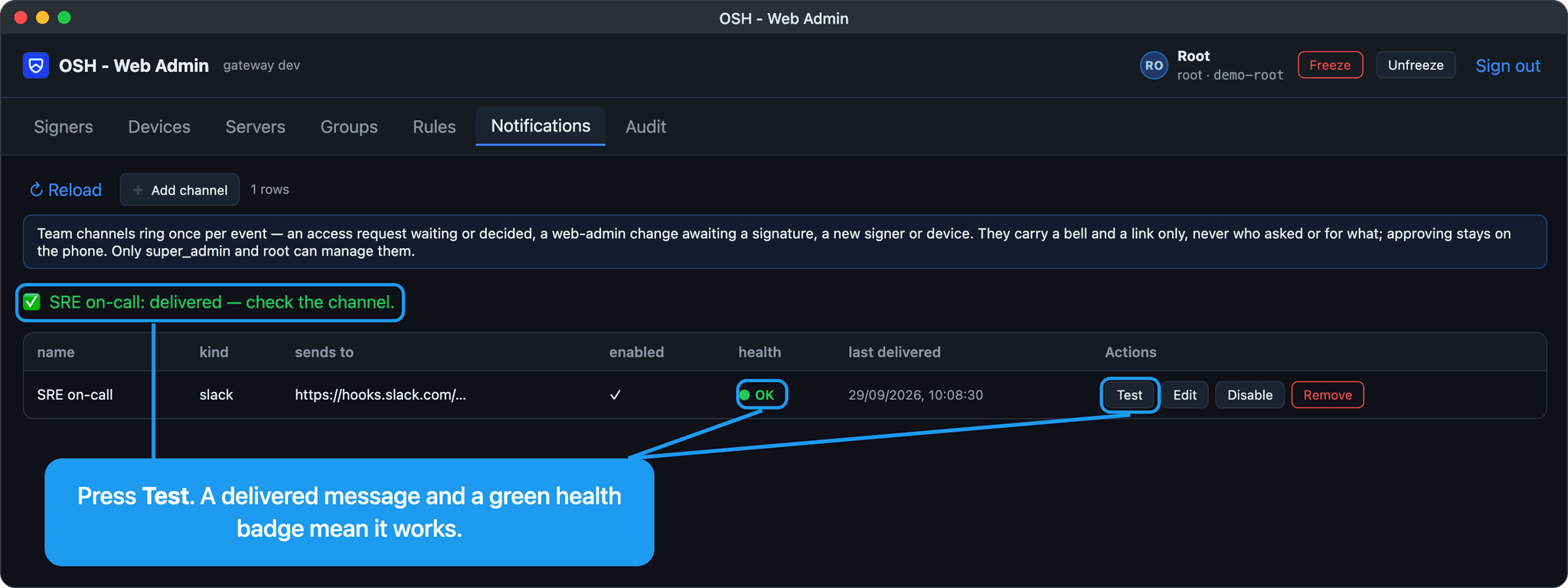
9. Test the channel
Press Test next to the channel. A delivered message means the gateway can reach it; the health badge shows whether the last real delivery went through.