Give a role
Make someone a user, an admin or a super admin of a group. A role belongs to one group: the same person can be an admin in one group and a user in another.
What the roles mean
1. What the roles mean
User: can ask for access to servers in the group. Admin: can also invite users, approve them and approve connection requests in the group. Super admin: can do the same and can also invite and make admins. Root: the owner of the gateway, who can do all of it in every group and is the only one who can make a super admin.
Admins and super admins approve connections with the same Face ID prompt as everyone else. Their phone holds a certificate that says which role they have.
Open the person
2. Open the person
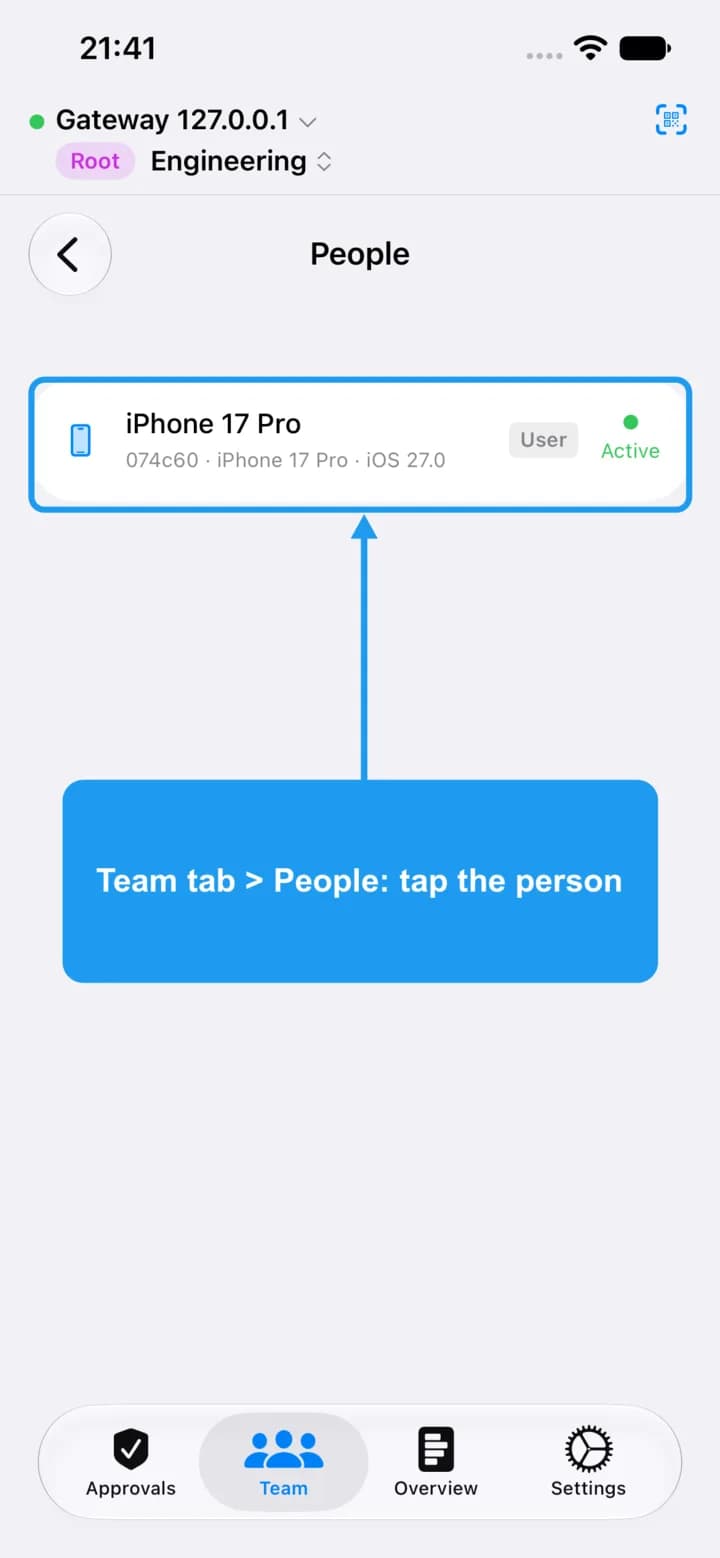
Open the Team tab, tap People, and tap the person.
Tap their role
3. Tap their role
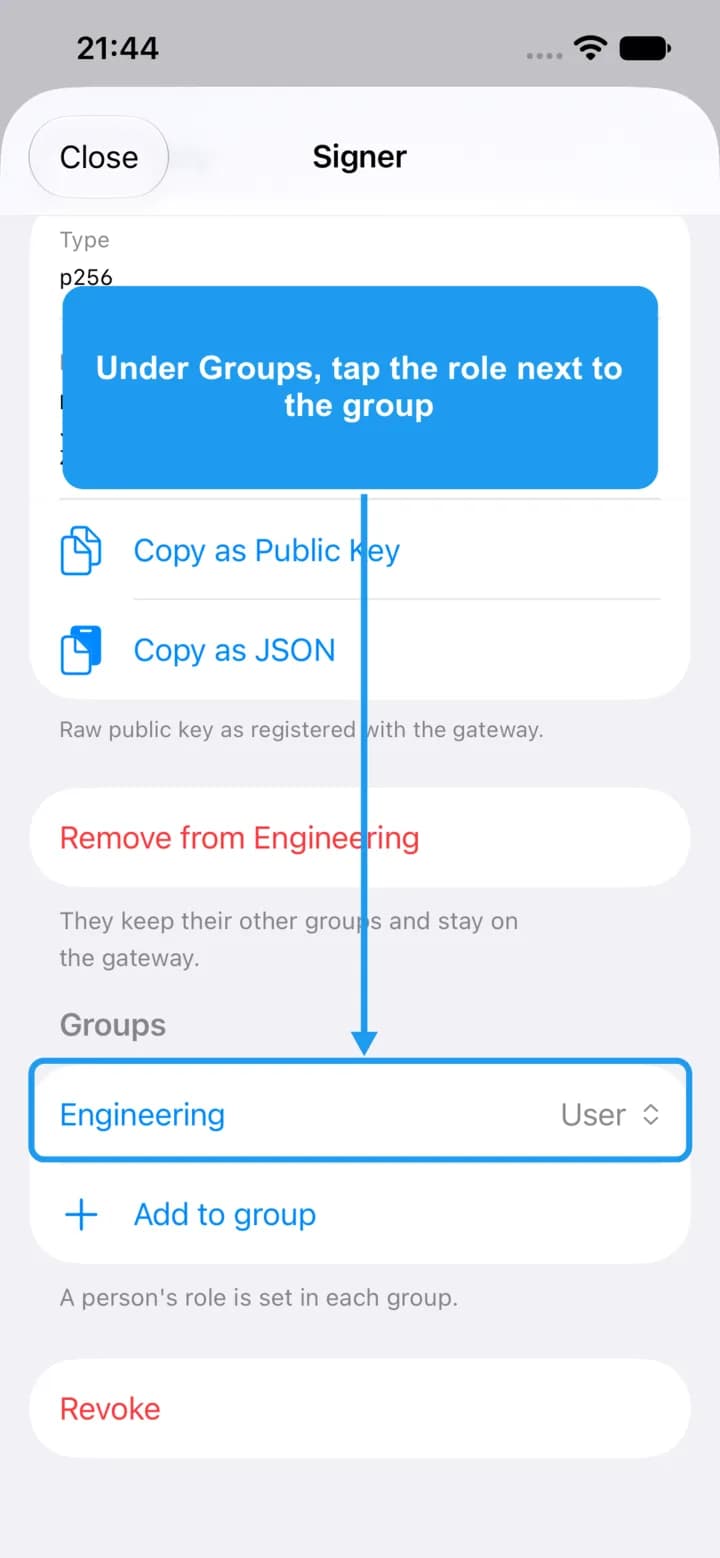
Scroll down to Groups. Next to the group you want, tap the role.
Pick a role
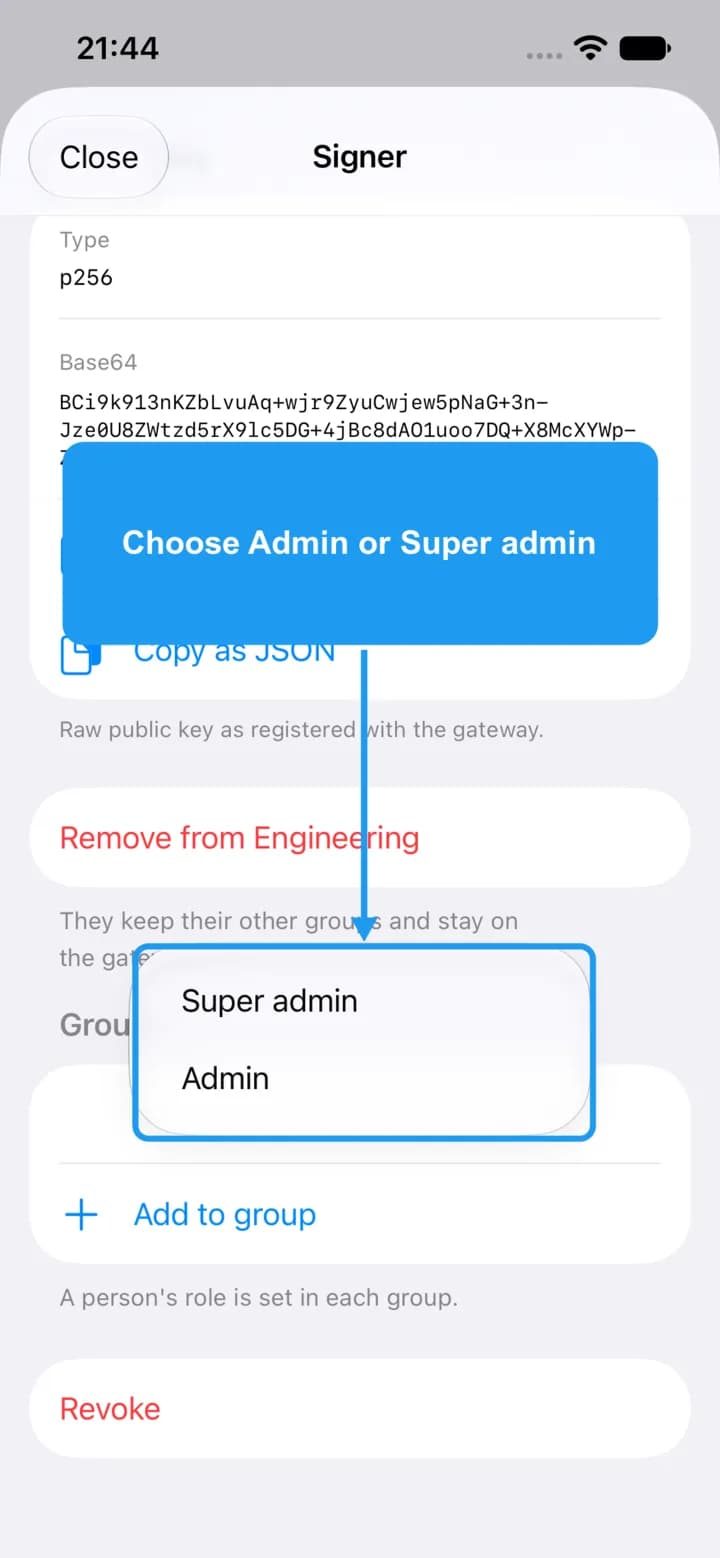
4. Pick a role
The menu lists the roles you are allowed to give: root can give any role, a super admin can give Admin or User. To add the person to another group, tap Add to group instead.
Confirm
5. Confirm
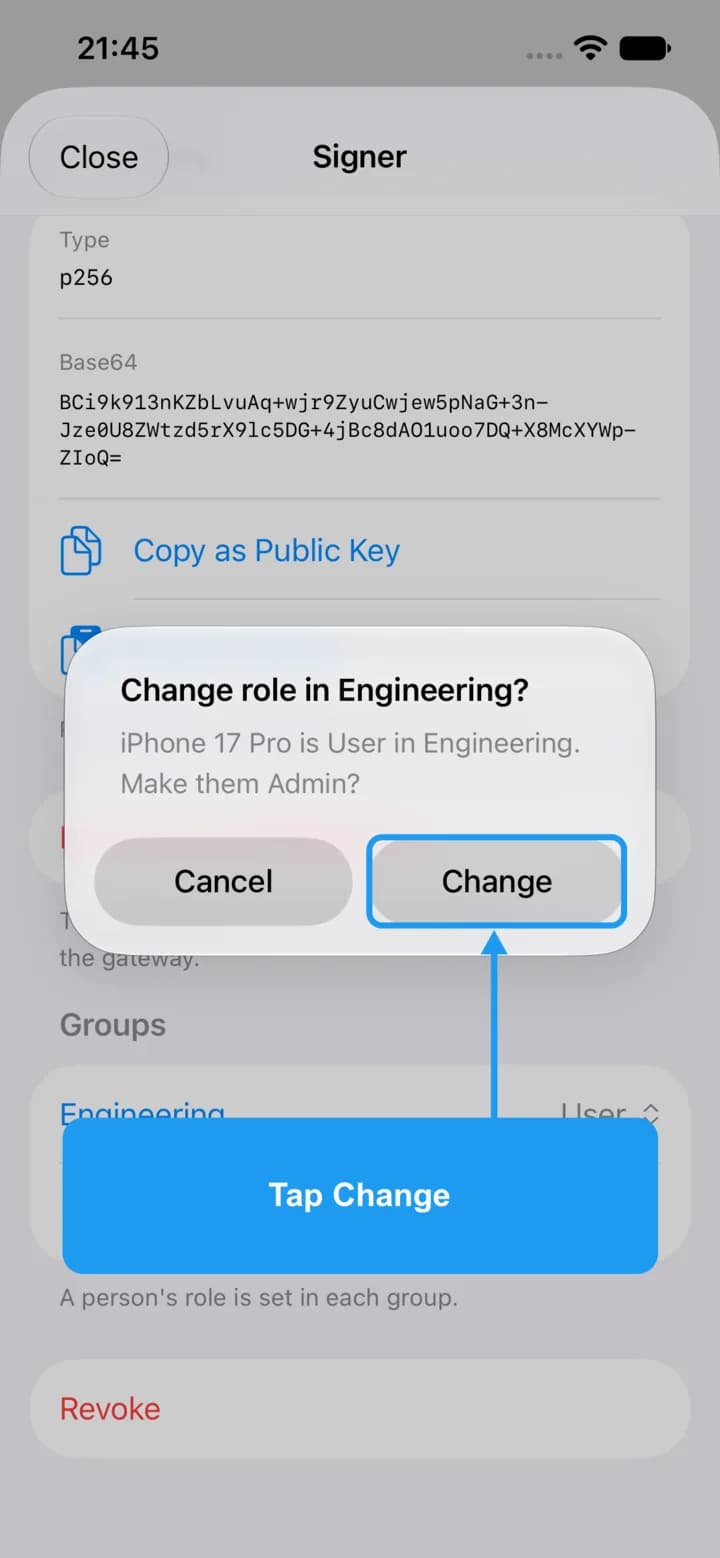
Tap Change, then confirm with Face ID.
Check the result
6. Check the result
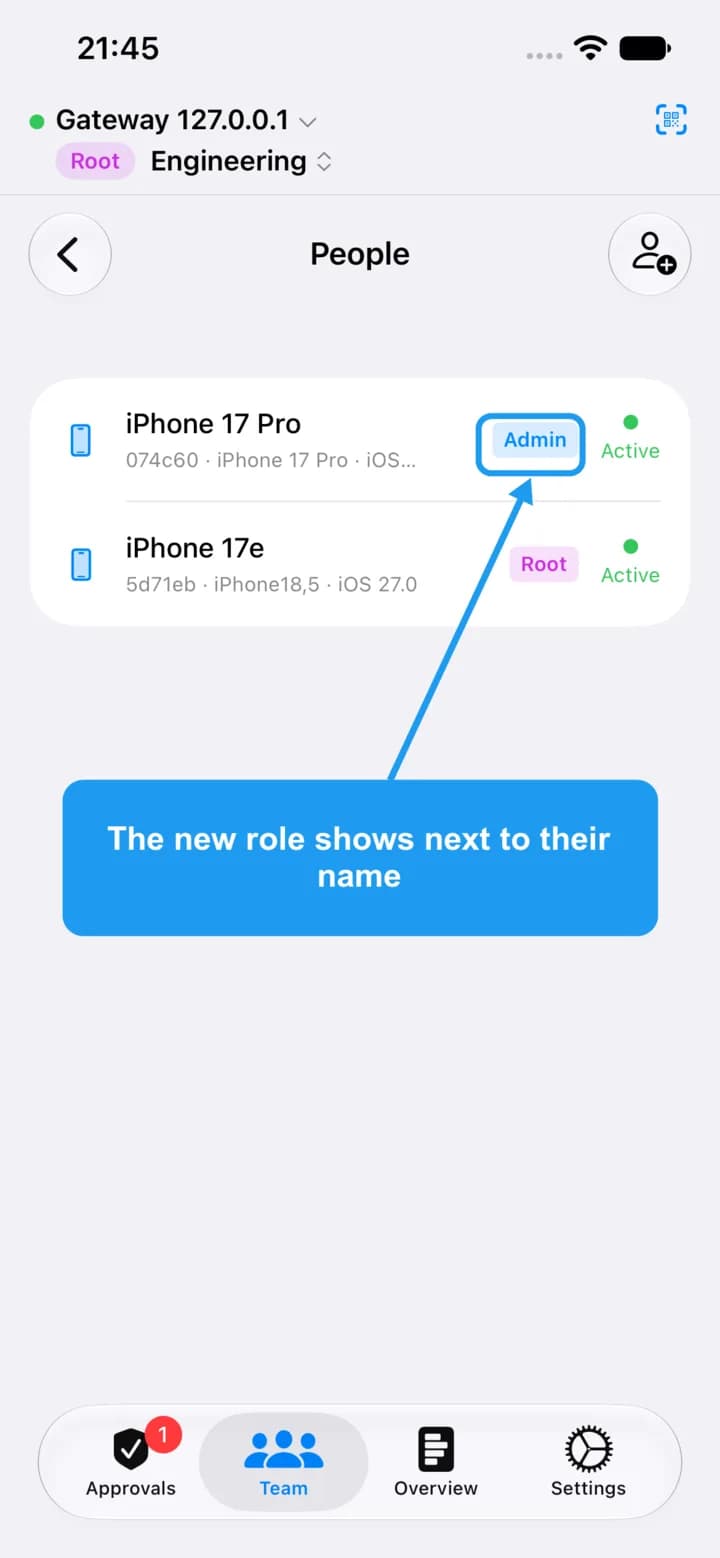
The new role shows next to the person's name.
When someone becomes an admin or super admin, OSH - Signer also issues them a new certificate with that role. If an approval from an older admin is refused because of their certificate, open the person and tap Update certificate.
If an admin's approval is refused: update the certificate
7. If an admin's approval is refused: update the certificate
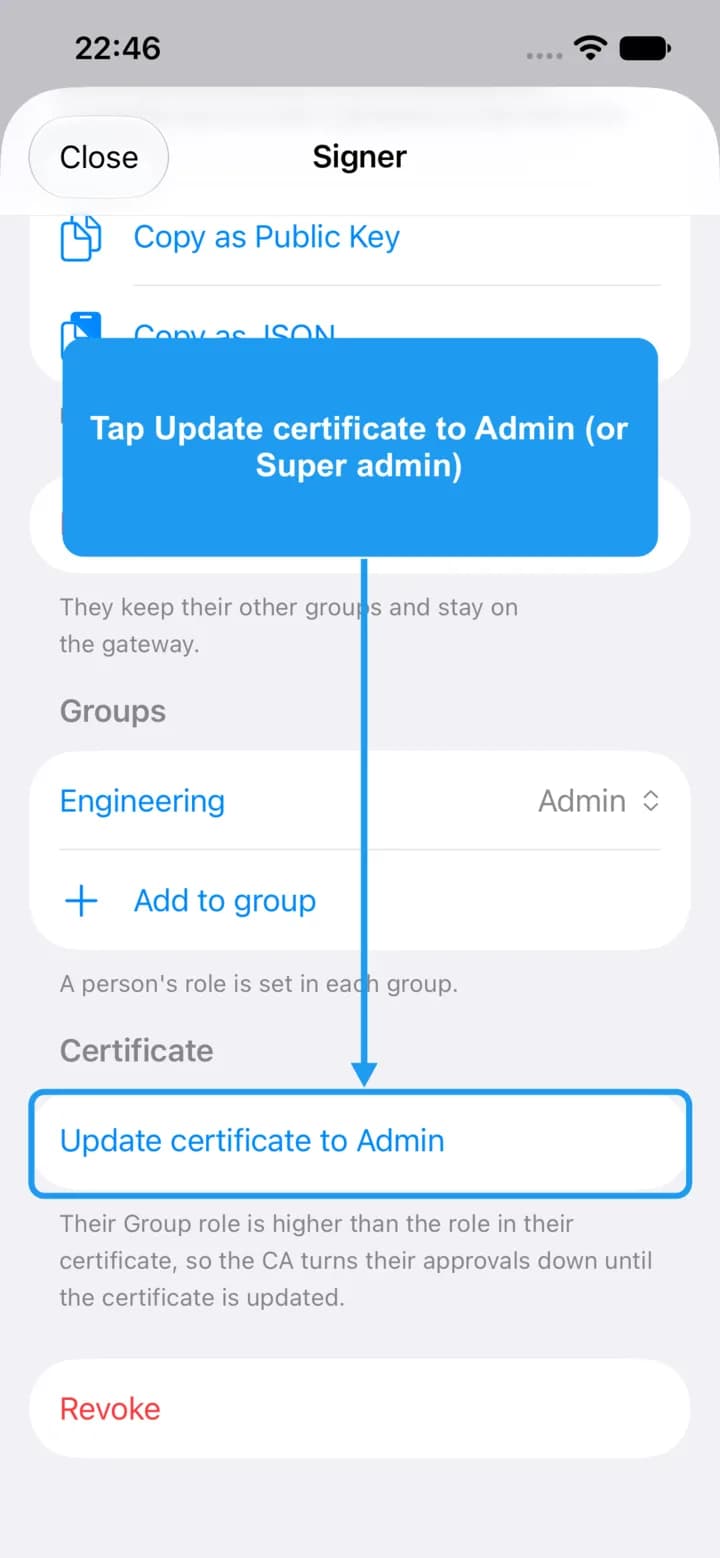
Sometimes an admin or super admin has the right role but the CA still turns their approvals down. The CA reads the role written in the certificate on their phone, and that certificate can still say a lower role. This happens when the person already had a role before groups existed (for example after you upgrade an older gateway to the group model), or when the certificate could not be issued at the moment you changed their role (for example the CA was unreachable or locked). Root fixes it: open the person, scroll down to Certificate and tap Update certificate to Admin (or Super admin). A super admin can do this for admins.
The Certificate section only appears when the person's role in a group is higher than the role in their certificate. After you tap the button the section disappears.
The button never lowers a certificate, and you cannot update your own: ask root.